
Introduction
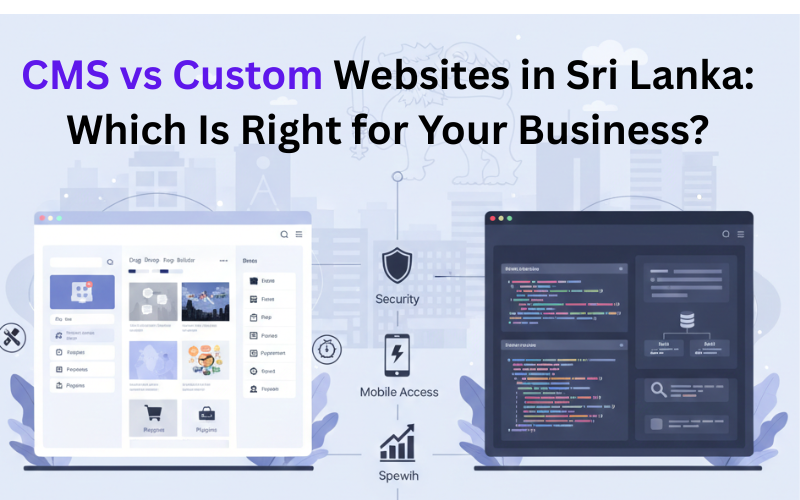
Picking the right kind of website feels like a big deal for businesses these days, especially in places like Sri Lanka where a lot of them are still figuring it out. They often get stuck deciding between something like a CMS site, which is quick to set up and not too expensive, or going full custom, but without really knowing if it fits their plans for growing. I mean, some jump on CMS right away because it saves money and time, but then they hit roadblocks down the line that slow everything. Others pour cash into custom builds without thinking through what they actually need, and that can backfire too.
It is not just about the site itself. From what I have seen working with some local companies, this choice spills over into other stuff, like how well marketing runs or if the system keeps up with more users. Customer interactions change, and scaling up later might get messy.
Websites have evolved past being simple online flyers. Now they handle sales directly, answer customer questions, even manage operations in ways that surprise you sometimes. This piece targets folks running businesses in Sri Lanka, whether owners or marketing leads, maybe even startups trying to expand. They are looking for a straightforward breakdown of CMS versus custom options, nothing fancy. It covers the basics of how each one operates, situations where one beats the other, and tips on picking based on your real setup, not just what is popular or guessed at. I think that part is key, because trends can mislead if you are not careful.
What Is a CMS Website?
A Content Management System (CMS) is a platform that allows users to create, manage, and update website content without advanced technical knowledge. Popular CMS platforms include WordPress, Joomla, Drupal, and Shopify, which are widely used by businesses around the world.
In practical terms, a CMS works by providing a ready-made framework for building websites. It includes an administrative dashboard where users can update text, images, pages, and posts. Themes control the design, while plugins add features such as contact forms, SEO tools, analytics, and e-commerce functionality.
CMS websites are commonly used for:
- Company profile websites
- Blogs and content platforms
- Marketing-focused websites
- Small to medium e-commerce stores
They are especially useful for businesses that update content frequently and want internal teams—such as marketing staff—to manage the website independently.
However, CMS platforms also have limitations. As business requirements become more complex, heavy reliance on plugins can impact performance, security, and maintainability. Custom workflows or integrations may require workarounds rather than clean, optimized solutions.
Why CMS vs Custom Websites Matter for Businesses in Sri Lanka
Sri Lankan businesses operate in a competitive digital environment where customer expectations, online visibility, and system reliability directly impact growth. Many organizations now rely on websites for lead generation, online sales, customer communication, and internal processes.
At the same time, businesses must consider:
- Local payment gateway integration
- Mobile accessibility
- Performance on slower network conditions
- Long-term cost and maintenance
A CMS website may be ideal for a startup launching quickly, while a custom website may be necessary for a business integrating with inventory, billing, or internal systems.
Choosing the wrong approach often leads to:
- Performance issues as traffic grows
- Increased maintenance costs
- Security vulnerabilities
- Limited flexibility for future expansion
Understanding the difference between CMS and custom websites helps Sri Lankan businesses make informed decisions that save time, money, and operational frustration.
Key Features to Look For in a Website Solution
Content Management CapabilityThe ability to update content easily is essential. CMS platforms excel here, while custom websites may require tailored admin panels depending on needs.
Performance & SpeedCustom websites are usually faster because they are built without unnecessary components. CMS performance depends heavily on optimization and plugin usage.
Mobile & Cloud CompatibilityModern websites must work seamlessly across devices. Both CMS and custom solutions should support mobile responsiveness and cloud hosting.
Security & Data ProtectionSecurity is critical, especially for e-commerce and data-driven websites. Custom websites allow tailored security measures, while CMS platforms require regular updates and monitoring.
Customization & IntegrationCustom websites offer full flexibility for integrations with CRM, ERP, or internal systems. CMS platforms support integrations but may be limited by plugin availability.
Local Support & MaintenanceAccess to local technical support ensures faster issue resolution and smoother long-term maintenance.
Benefits of Using a Professional Website Development Service
Operational Benefits- Reliable system performance
- Reduced technical issues
- Better workflow efficiency
- Predictable maintenance costs
- Reduced downtime-related losses
- Better ROI from digital investments
- Faster page loading
- Consistent design and usability
- Improved trust and engagement
- Easy expansion as the business grows
- Support for future features and integrations
Professional guidance helps businesses choose the right solution and implement it correctly from the start.
Customized vs Ready-Made Website Solutions
CMS (Ready-Made) Websites- Faster to deploy
- Lower initial cost
- Ideal for standard requirements
- Fully tailored to business needs
- Higher upfront investment
- Better long-term flexibility and performance
Small businesses and startups often benefit from CMS solutions, while growing companies and enterprises usually require custom websites to support complex operations.
How to Choose the Right Website Development Company
Choosing the right website development partner is critical for ensuring your online presence supports business growth rather than creating future headaches. While price is important, it should never be the only deciding factor. A professional, experienced company can save time, money, and frustration in the long run.
Key Factors to Consider- Proven Experience and Portfolio
- Understanding of Your Business Goals
- Ability to Offer Both CMS and Custom Solutions
- Transparent Pricing and Contracts
- Ongoing Support and Maintenance
- Communication and Responsiveness
- Local Presence or Understanding of Regional Market
- References and Reviews
A reliable website development partner focuses on long-term success, not just completing the project. By evaluating technical expertise, business understanding, support capabilities, and communication, businesses can select a provider who ensures the website contributes to growth, efficiency, and customer satisfaction.
Why Applantics Is a Trusted Choice
Applantics is a Sri Lanka–based technology solutions provider with experience in both CMS-based websites and custom web development. The company works closely with clients to understand business objectives before recommending the right approach. Applantics serves startups, SMEs, and enterprises across multiple industries. Its strength lies in delivering scalable, secure, and user-friendly websites tailored to real business needs.
With a focus on quality, transparency, and long-term support, Applantics helps businesses build websites that grow with them.
Real-World Use Cases / Industries Served
Applantics supports businesses across industries such as:
- Retail & Supermarkets – product catalogs and e-commerce platforms
- Restaurants – ordering and promotional websites
- Pharmacies – secure information platforms
- Service Businesses – lead generation and CRM-integrated websites
Each solution is designed based on industry-specific workflows and customer expectations.
FAQs
- Is a CMS website suitable for small businesses?
Yes, CMS websites are highly suitable for small businesses that need a professional online presence quickly. They allow business owners or marketing staff to update content without technical expertise. For example, a small café or boutique can add new products, promotions, or blog posts easily, saving both time and development costs while maintaining a polished website. - Can CMS websites be customized?
CMS websites can be customized, but the level of customization depends on the platform and available plugins. While you can adjust themes, layouts, and add functionality, advanced features or unique workflows may require coding or workarounds. For instance, integrating a complex booking system or multi-branch inventory may be challenging without a developer’s support. - Is a custom website more secure?
Yes, custom websites are generally more secure because they allow tailored security measures specific to the business. Developers can implement advanced authentication, encryption, and access controls without relying on third-party plugins. Properly maintained custom sites are less vulnerable to common CMS attacks, making them ideal for businesses handling sensitive data, online payments, or customer information. - How long does development take?
CMS websites are faster to launch, typically taking a few weeks, depending on design complexity and content preparation. Custom websites require a longer timeline, often several months, because they involve detailed planning, coding, testing, and integrations. Businesses should factor in design approvals, functionality testing, and staging environments for complex systems to ensure a smooth launch. - Which option is more cost-effective in the long term?
While CMS websites are cheaper upfront, custom websites often provide better long-term value for growing businesses. CMS sites may require frequent plugin updates, security maintenance, and workarounds as business needs evolve. A well-built custom website may have a higher initial cost but reduces limitations, improves performance, and supports scaling without costly rebuilds or workarounds. - Can I switch from CMS to a custom website later?
Yes, it’s possible to migrate from a CMS to a custom website, but it can be complex. Content, design, and functionality may need to be rebuilt, which can take time and budget. Planning ahead for potential migration—like maintaining clean data structures and avoiding heavy reliance on proprietary plugins—can simplify future transitions and reduce costs.
Conclusion & Call to Action
Whether to build a CMS or a custom website: There is no one-size-fits-all answer to this and depends on the nature of work. The best fit will depend on your business’s size, goals, budget and future plans. With a CMS you get the speed and ease of an editing environment, with a custom designed website you gain flexibility and potentially better scalability. There's nothing more expensive than rework, so arming yourself with enough information up-front to make an informed decision is always a good idea. And you’re not even sure which of the options is best for your business—professional guidance can change everything. Get in touch with Applantics today for a consult and have professionals advise you so you may create the perfect solution for your business.